Yamify API, MCP, and Bot Overview
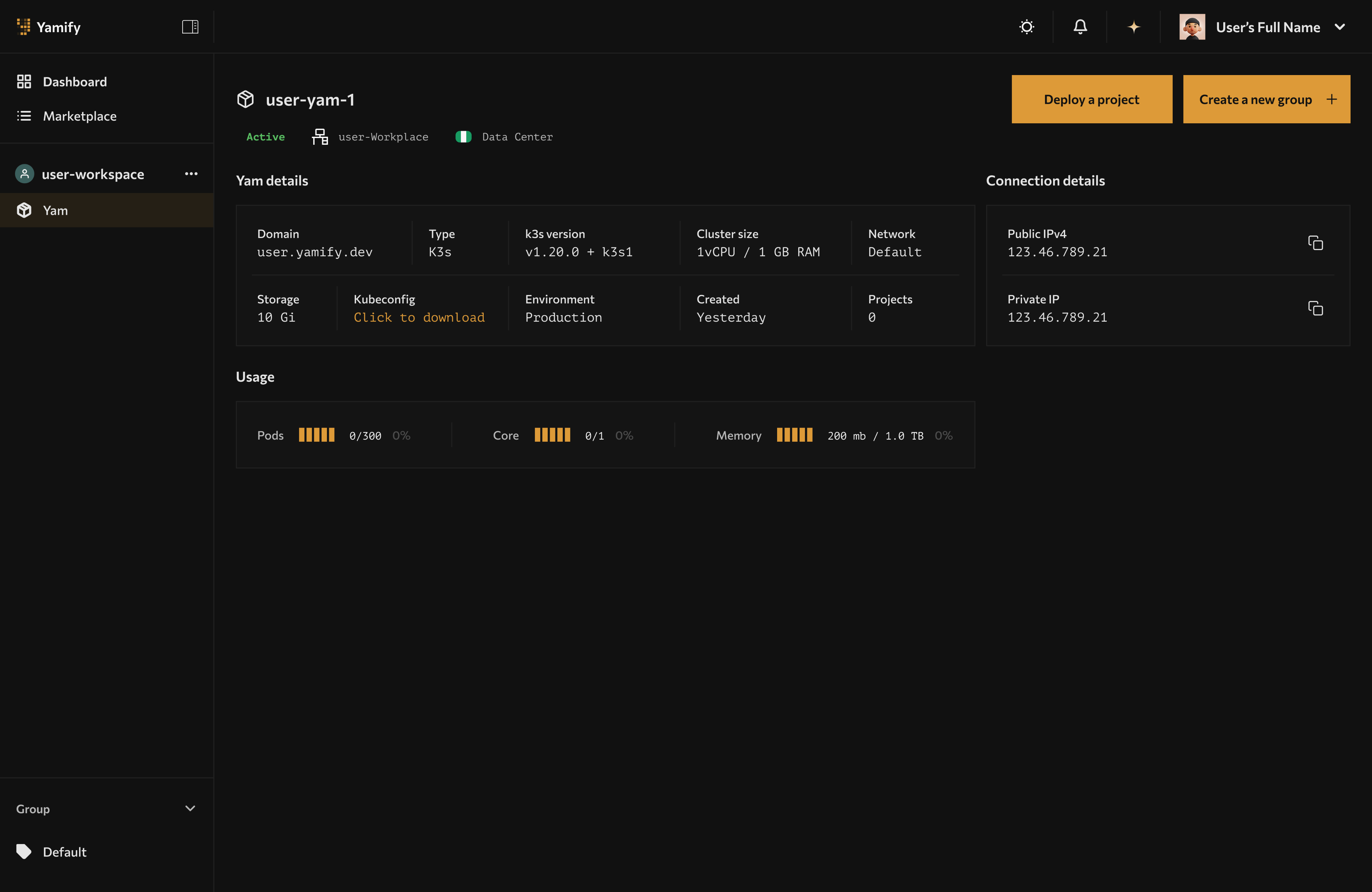
Yamify MCP, inference, and bot surfaces all operate against the same workspace and app context shown in the dashboard.
Yamify is not only a UI for installing apps. It also exposes builder surfaces so AI agents, internal tools, and chat interfaces can interact with your workspaces and deployed apps.
What is public today
- Yamify MCP for authenticated workspace and app actions
- Inference API endpoints for OpenAI-compatible model access
- Telegram bot access for approved bot-enabled accounts and workspaces
What each surface is for
Yamify MCP
Use Yamify MCP when you want an AI coding tool or agent to interact with your Yamify account using structured tools instead of manual clicking.
Current MCP capabilities include:
- List your workspaces
- List apps already deployed in a workspace
- Create an inference API endpoint in an existing Yam
This is the best fit for:
- Claude-based agent workflows
- Cursor background tasks
- Internal copilots that need safe, tool-based access to Yamify
Go deeper in Use Yamify MCP with Claude, Cursor, and Lovable.
Yamify Inference API
Use Yamify Inference API when you want to expose a model endpoint behind your Yamify workspace and call it like an OpenAI-compatible API.
This is the best fit for:
- Shipping AI features from your own frontend
- Powering OpenClaw or workflow automations
- Standardizing access to providers like OpenAI, Groq, OpenRouter, or DeepSeek
Go deeper in Deploy and Call a Yamify Inference API.
Yamify Telegram Bot
Use Yamify Telegram access when you want fast operational lookup from chat, such as checking workspaces or retrieving app URLs without opening the dashboard.
This is the best fit for:
- Founders and operators checking live deployments quickly
- Support and delivery teams sharing app URLs from mobile
- Early chat-first workflows while a richer bot product is being rolled out
Go deeper in Use Yamify from Telegram.
Best-practice access model
Treat each Yamify surface differently:
- Use MCP for AI agents that need structured actions
- Use Inference API for product features that need model responses
- Use Telegram bot for fast human operations and mobile access
Good combinations
The strongest setups combine more than one surface:
- Claude + MCP + OpenClaw: let Claude inspect your Yamify workspaces, then use OpenClaw as the running app layer
- Cursor + MCP + Inference API: let Cursor provision a model endpoint, then wire your app directly to it
- Lovable + Inference API + n8n: build a frontend in Lovable, connect it to Yamify-hosted inference, and automate around it with n8n
- Telegram + n8n + OpenClaw: operate deployments and share URLs from chat while workflows and agents run in the Yam
See Builder use cases and solution combinations.
What to avoid
Do not treat Yamify like a raw cluster admin surface.
- Do not expose internal secrets in prompts or tutorial screenshots
- Do not hardcode bot secrets or access codes into public repos
- Do not assume every integration is fully self-serve unless the docs explicitly say so
Start from the right guide
- If you use Claude, Cursor, or Lovable: Use Yamify MCP with Claude, Cursor, and Lovable
- If you want a live model endpoint: Deploy and Call a Yamify Inference API
- If you want chat-based operations: Use Yamify from Telegram
- If you want examples to pitch or ship: Builder use cases and solution combinations