Use Yamify MCP with Claude, Cursor, and Lovable
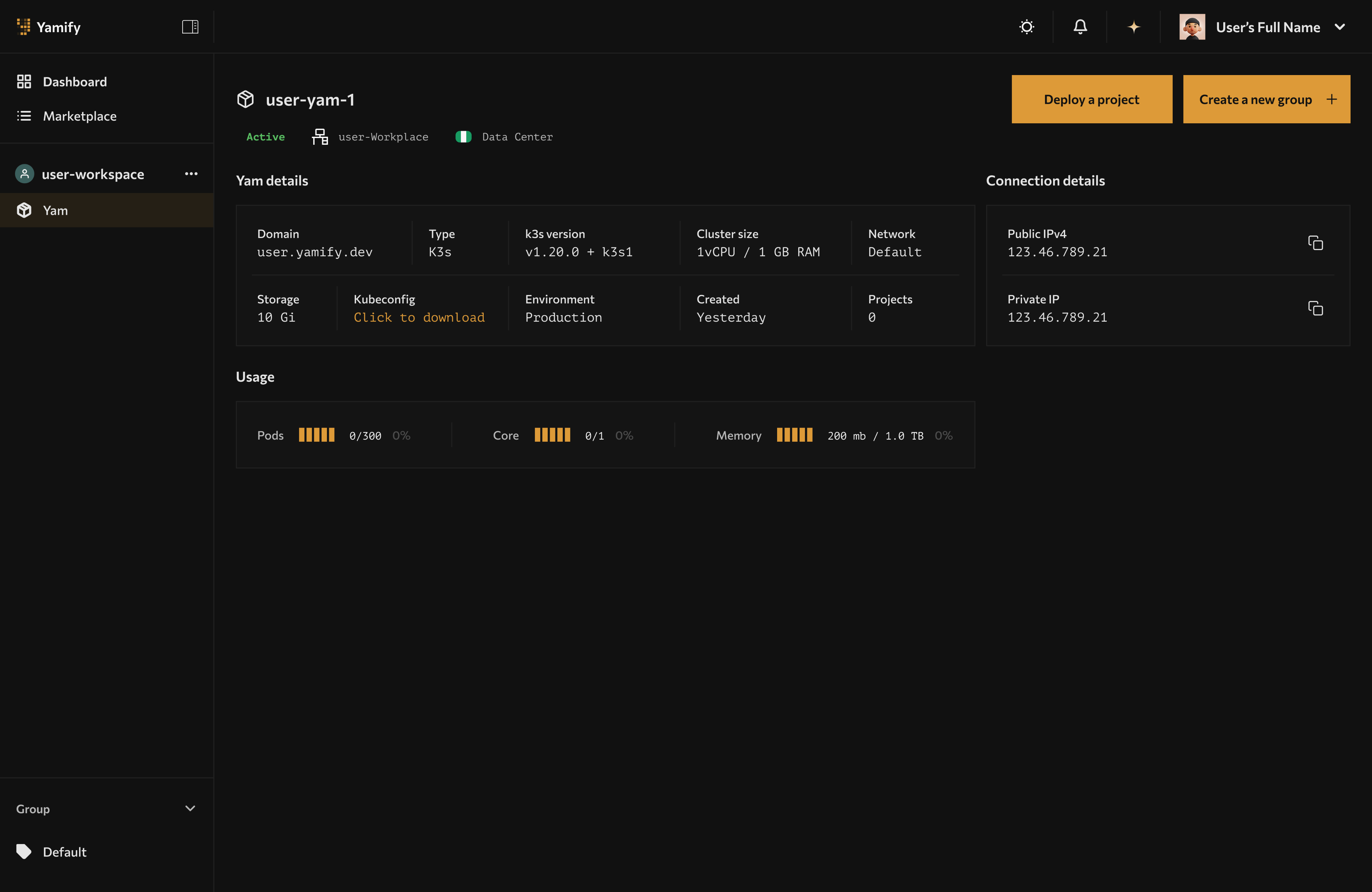
AI tools using Yamify MCP interact with the same workspaces and apps visible in the Yamify dashboard.
Yamify MCP gives AI tools a structured way to work with your Yamify account. Instead of asking an agent to click through the dashboard, you let it call explicit Yamify tools.
If you want a copy/paste setup guide (Cursor/Claude/Lovable config + curl examples), use:
What Yamify MCP can do
Today, Yamify MCP supports these core actions:
yamify.list_workspacesyamify.list_appsyamify.deploy_inference_api
That means an AI tool can:
- Discover what workspaces you already have
- Inspect what apps are live in each workspace
- Create a new inference endpoint inside an existing Yam
Why this matters
This turns Yamify into a control plane for AI builders.
You can use one assistant to:
- inspect your live automations
- find the right workspace
- create a model endpoint
- wire that endpoint into another app or workflow
Best uses by tool
Claude
Claude is strongest when you want planning plus tool-driven execution.
Use Claude with Yamify MCP to:
- audit active workspaces before shipping a feature
- list existing apps for a client account
- create an inference endpoint for a new workflow
- document deployment state in plain English
Example workflow
- Ask Claude to list your Yamify workspaces.
- Ask it which workspace already contains the client automation stack.
- Ask it to create a new inference API in that workspace.
- Ask it to generate the frontend or n8n integration code that calls the endpoint.
Cursor
Cursor is strongest when the agent is already inside the codebase.
Use Cursor with Yamify MCP to:
- provision infrastructure while editing app code
- pull app inventory during implementation
- create a model endpoint and immediately wire it into the current repo
Example workflow
- Open your product repo in Cursor.
- Ask Cursor to provision a Yamify inference endpoint for support-chat.
- Ask Cursor to add a server action or API route that calls the endpoint.
- Ask Cursor to generate a smoke test against the Yamify-hosted endpoint.
Recipe (copy/paste prompt)
Use Yamify MCP to list my workspaces, pick the best one for a new inference endpoint called
support-chat, deploy it, then generate a Next.js API route that calls it and returns a JSON response.
Setup
Follow the copy/paste steps in Yamify MCP Quickstart.
Lovable
Lovable is strongest when you want fast UI generation.
Use Lovable with Yamify-backed endpoints to:
- build internal AI tools quickly
- create simple SaaS frontends on top of Yamify-hosted models
- ship demos without operating backend model infrastructure manually
Best pattern
Use Yamify MCP or Yamify’s inference API as the backend control and model layer, while Lovable handles the frontend experience.
Recipe (copy/paste prompt)
Build a simple admin UI that lists my Yamify workspaces and apps. Add a “Deploy endpoint” form that creates an inference API via Yamify MCP, then show the endpoint URL and a “Test” button.
Setup
Follow the copy/paste steps in Yamify MCP Quickstart. Lovable uses the same MCP server URL + headers.
Notion (via automation)
Notion does not natively support MCP as a first-class “tool” today in the way Cursor/Claude do.
The practical pattern that works now is:
- Use Yamify MCP for control-plane actions (list workspaces, list apps, provision inference endpoints)
- Use n8n on Yamify to connect Notion to Yamify (and your apps) via API calls and workflows
What this unlocks
- “Notion as control panel” for your team
- A Notion database row can represent a workspace, app, or deployment request
- n8n watches Notion changes and triggers Yamify actions + posts results back
Example workflow
- In Notion, create a database called “Deployments”.
- Add fields:
workspace,app,project,status,url,requested_by. - In Yamify, deploy n8n.
- In n8n, create a workflow:
- Trigger: Notion “New database item”
- Action: call Yamify (API/MCP-backed service) to deploy/provision
- Action: update the Notion row with
status+url
If you want this fully automated, the Yamify team can expose a dedicated “Deploy app” endpoint designed for n8n (so you don’t need to run MCP from inside n8n).
High-value workflows
1. AI support console
- Use MCP to create an inference endpoint
- Use Lovable or Cursor to build the UI
- Use n8n to push tickets or summaries into downstream systems
2. Sales copilot for agencies
- Use MCP to inspect active workspaces
- Use Inference API to classify leads
- Use OpenClaw or n8n for follow-up automation
3. Client operations dashboard
- Use MCP to query deployed apps
- Build a frontend that shows live deployment inventory
- Add team invites so client stakeholders can view the same workspace
Safe usage rules
- Keep prompts focused on workspace-level actions, not raw infrastructure assumptions
- Store provider keys only in approved app inputs or secret flows
- Prefer listing workspaces and apps before taking any provisioning action
- Use inference endpoints for runtime traffic, not MCP
What Yamify MCP is not
Yamify MCP is not a replacement for your app runtime API.
Use it for:
- control-plane actions
- discovery
- provisioning
Do not use it for:
- end-user chat traffic
- long-running streaming UX in your product
- bulk unbounded cluster operations
Suggested prompt ideas
You can give an AI tool prompts like:
- “List my Yamify workspaces and tell me which one already has OpenClaw installed.”
- “Create a Yamify inference endpoint called
sales-brainin myagency-prodworkspace.” - “Inspect my deployed apps and generate a summary of what each client workspace is running.”
- “Create a Yamify-hosted inference endpoint and then write the Next.js route that calls it.”
- “Draft a Notion database schema for deployments, then outline an n8n workflow that syncs deployments back into Notion.”
Next step
Continue with Deploy and Call a Yamify Inference API if you want to build on top of a live model endpoint.